Discord Divider Designs to Copy and Paste
Published June 14, 20263 min read
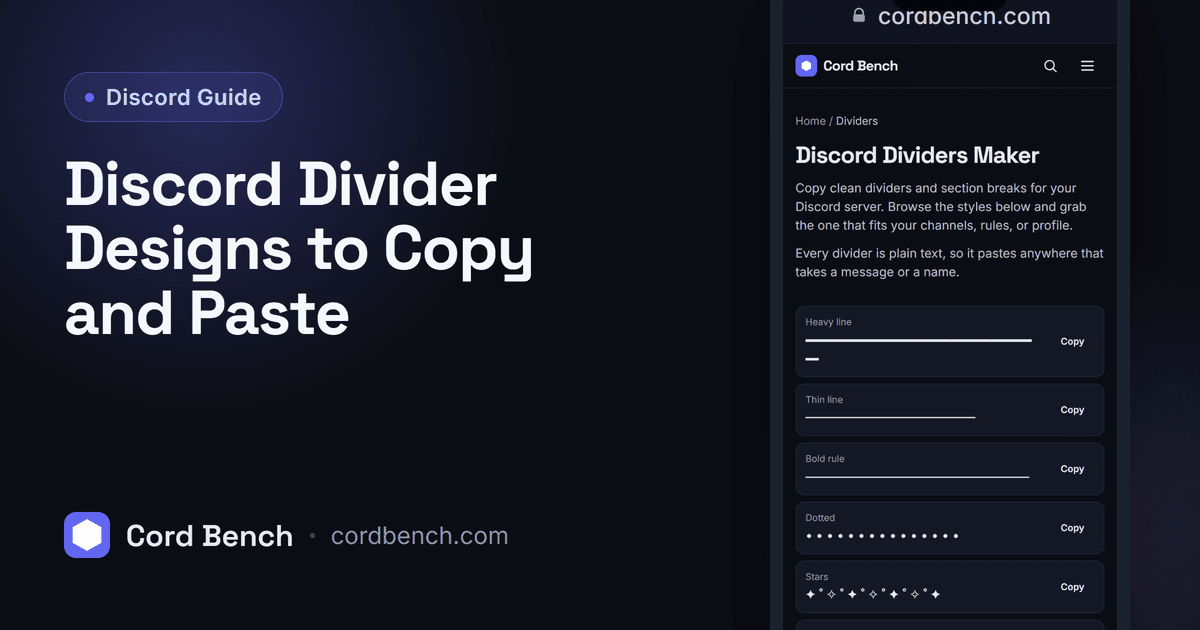
A divider is a line of characters that breaks a Discord channel, bio, or rules post into sections so it is easier to read. We build the dividers maker, so here are copy and paste designs and where each style fits, from minimal lines to symbol borders.
What Discord Dividers Are
A divider is just text, a row of dashes, dots, or symbols that acts as a visual break. Discord has no built in separator, so people use these character lines between topics in a rules channel, an info post, or a profile.
Because they are plain text, dividers paste anywhere text goes: messages, embeds, your About Me, and channel topics. The look depends only on the characters you pick.
Why Dividers Improve Layout
A long info post reads as a wall of text. A divider between each section gives the eye a place to rest and makes a member more likely to read to the end. In a rules channel, dividers separate categories so people find the rule they need.
They also signal care. A server that organizes its welcome and rules with clean breaks feels more put together, which sets a better first impression.
Copy and Paste Divider Designs
For a simple line, a run of repeated characters works: ──────── for a clean bar, or . . . . . . . . . . for a softer dotted break. A row of ▬▬▬▬▬▬▬▬▬▬ gives a bolder line.
For something with a center accent, try ─────── ✦ ─────── or •───────────────•. Paste one, then adjust the length to match your channel width.
Aesthetic, Minimal, and Symbol Dividers
Minimal dividers use one repeated character and read clean in any server. Aesthetic ones add a small symbol in the middle, like a star, a heart, or a flower, for a softer profile or a themed server. Symbol borders stack characters into a frame for a heading.
Match the style to the server. A competitive gaming server suits sharp bars, while a cozy community fits dotted lines and small icons. Keep one style throughout so the server looks consistent.
How to Add Dividers to Channels and Bios
In a channel, post the divider as its own message or include it inside a larger info post between sections. In a rules channel that only staff can post in, drop dividers between rule groups.
For a profile, paste the divider into your About Me in User Settings. Test how it wraps on mobile, since a very long line can break onto two rows on a narrow screen.
Generate Custom Dividers
Our dividers maker collects styles you can browse and copy in one click, so you are not hunting for the right characters. Pick a length and a look, copy it, and paste it where you need a break.
It is the fast way to keep a whole server on one divider style without saving snippets in a notes app.
Keeping a Consistent Server Look
Choose one or two divider styles and use them everywhere: welcome, rules, and info. Keep the lines a sensible length so they do not wrap on phones, and lean toward simple over busy, since a clean break helps reading more than an ornate one.
Pair dividers with section headers and your server reads like a tidy page rather than a scroll of text.
Discord Dividers Maker
Copy clean Discord dividers and section breaks. Browse styles and drop them between channels or messages.
Open the dividers maker